

Apple is making a major push around child safety and parental controls with iOS 27, including a completely redesigned Screen Time experience, new limits for websites, expanded communication controls, and more flexible tools for managing when kids can use apps. The changes are part of Apple’s broader OS 27 updates across iPhone, iPad, Mac, Apple Watch, and Vision Pro.
A redesigned Screen Time experience
Screen Time has been rebuilt to be more intuitive for parents with Apple’s iOS 27 updates. The new design gives parents a simpler at-a-glance view of their child’s device usage, including weekly summaries and the apps used most on a given day.
Parents will also be able to make quick changes directly from Screen Time, including temporarily pausing device access or opening up access for a set period of time. Apple says Always Allowed apps and contacts will remain available even when access is paused.
One important caveat is that the new Screen Time experience requires all devices in the Family Sharing group to be running iOS 27, iPadOS 27, macOS 27, watchOS 27, or visionOS 27.
New Time Allowances
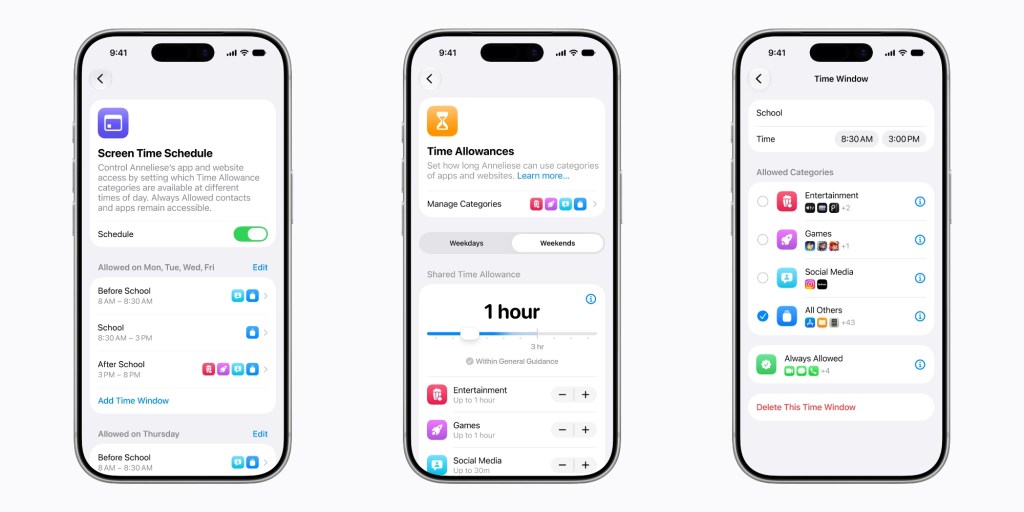
iOS 27 adds a new Screen Time feature called Time Allowances. This lets parents set daily limits across major app categories like Entertainment, Games, and Social Media.
Apple will also provide suggested allowances based on a child’s age, citing expert health research and guidance from child development experts, including the American Academy of Pediatrics. Parents can adjust those recommendations, create custom categories, and move apps between categories.
When approving a new app through Ask to Buy, parents can also assign that app to a Time Allowance category immediately.
Schedules for school days, weekends, and more
Another new feature is Schedules, which lets parents decide which apps are available at different times of day.
For example, a parent could create different app access windows for before school, school hours, after school, evening, and nighttime. Apple says parents can create weekday, weekend, and custom schedules for things like holidays or early school release days.
Ask to Browse comes to Safari
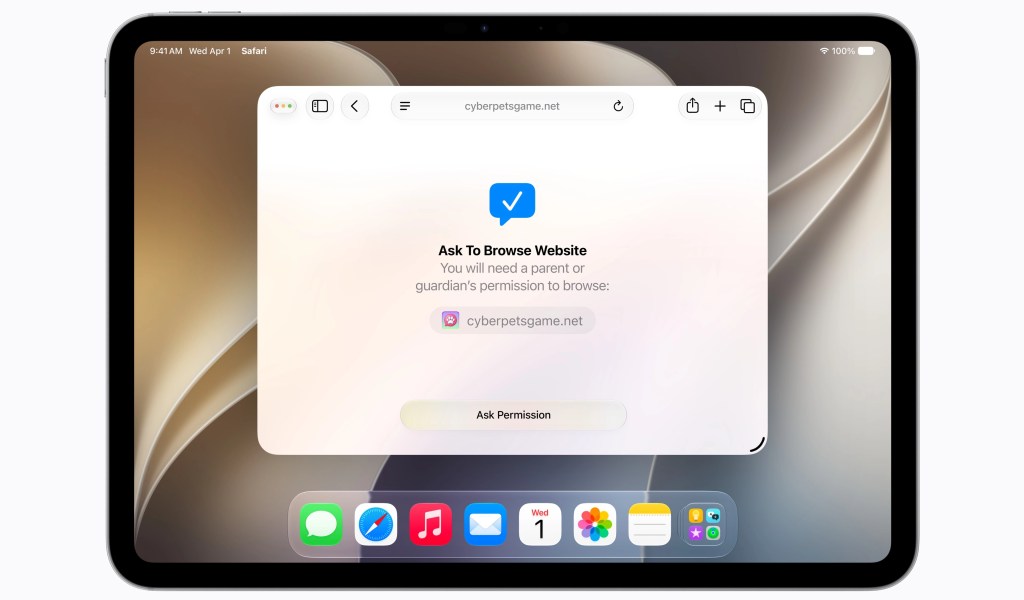
Apple is also expanding the Ask to Buy model to the web with a new feature called Ask to Browse.
When enabled, children must ask permission before visiting new websites. The request appears in Messages on the parent’s device, where the parent can review and approve the site. Once approved, the child can access it.
Ask to Browse works in Safari across iPhone, iPad, and Mac. Apple says it is enabled by default for children under 13, with the option for parents to enable it for teens as well.
Apple says it will block known adult websites by default for children under 18. Parents will also be able to proactively approve websites, including full lists of sites.
The feature extends to embedded content on websites as well. For example, if YouTube isn’t allowed, an embedded YouTube video won’t appear on an otherwise approved website.
How parents can approve new contacts
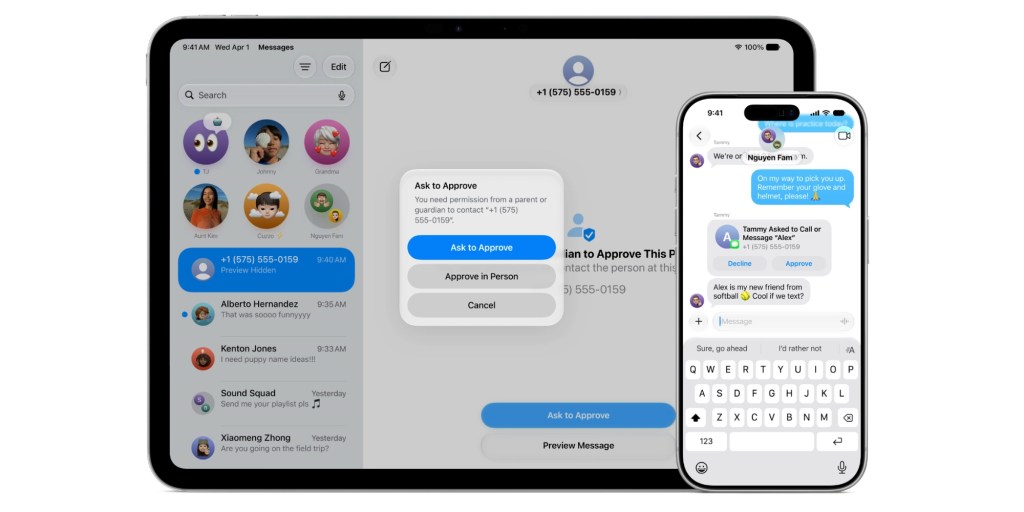
iOS 27 also adds more control over who children can communicate with. Parents can require approval before a child connects with someone new in Messages, FaceTime, or Phone.
If a child receives a message from an unapproved contact, they won’t be able to view it until a parent approves the request. Apple says approved contacts can also work with third-party apps that adopt its PermissionKit framework.
iOS 27 goes even further for group chats. For example, if an approved contact is part of a group chat, parents can allow the group chat to work without approving each contact.
Communication Safety expands categories
Top comment by Kirk
Long overdue....
I did not view all the details, but what I always wanted (and requested) was multiple periods of downtime per day.
But...
Too little; too late. The last of my kids turned 18 this year.
Apple’s Communication Safety feature already warns children before viewing or sending images and videos that may contain nudity.
In iOS 27, Apple says the feature will also intervene when it detects gore or violent content in shared images and videos. The feature is enabled by default for children under 18.
iOS 27 is currently in developer beta. A public beta version will arrive in July ahead of the official release this fall.
You can learn more at Apple’s new Child Safety website.
Do more with your Apple products
Apple AirTag 2 | Add Find My tracking to keys, bags, bikes, more
AirPods 4 ($99, reg. $129) | Apple’s newest wireless headphones
AirPods Pro 3 ($199, reg. $249) | Apple’s best wireless headphones
Beats USB-A to USB-C Cable | The official CarPlay cable


FTC: We use income earning auto affiliate links. More.



Comments